Solid Support

Faster with Asta

Asta Powerproject 2026 introduces requested features and functionality updates to further enhance project planning and execution. Discover how the Powerproject 2026 update will further drive project control and efficiency for construction teams

"Continuing to actively seek feedback from our users and people that want to switch to Asta from other solutions is as important to us as the projects that we support and it's why Asta Powerproject is the go-to planning tool for so many in the construction industry."

Asta Powerproject Updates

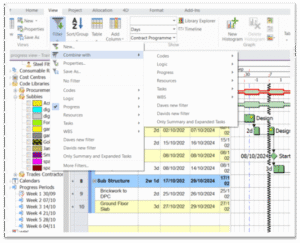
Filter Enhancements

Users can now combine existing filters quickly, rather than creating more complicated rule sets. This feature adds an extra layer of simplicity to working with extensive code libraries.  

Copy and Paste into Library Explorer

Copy and paste functionality from Excel/Word into Library Explorer. This minimises the likelihood of error when working with extensive libraries and speeds up the project setup phase.

Timeline Enhancements

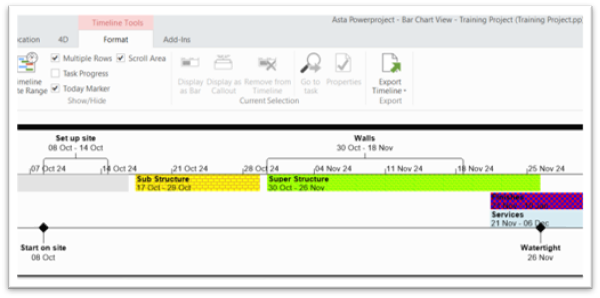
Chose which items appear in the timeline and coloured them to match project code libraries. This feature gives teams an at-a-glance view of resource needs and other critical timeline events.

Display Tasks by Resource

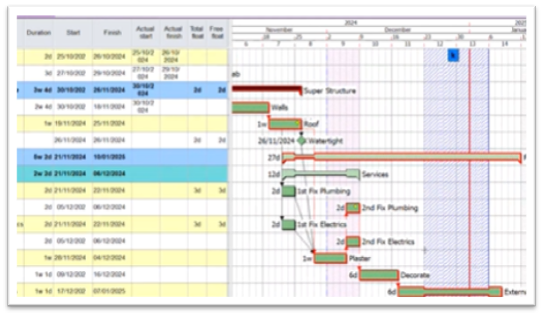
Tasks can be colour coded by resource in the same way you can colour tasks by code library. This feature helps you to maintain consistency with other features and further helps resource allocation. 

UI Improvements

There have been multiple changes including: 

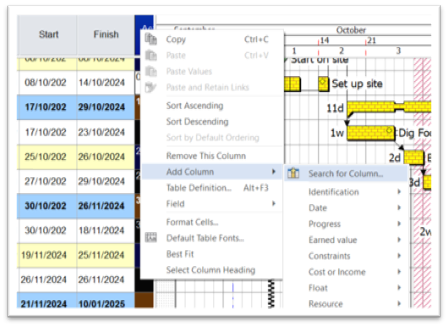
  • Dynamic search for spreadsheet fields 
  • Pan/scroll with a grab-hand 
  • Milestone dates display   

Backwards Compatible

Full backward compatibility with Version 17. 

  • Eliminates the need to update file types when sharing between users on different versions. 
  • Seamless transition between versions  

Vision/Vision Live Updates

Programme Type Access Control

Gain greater control over project visibility by managing which users can access specific programme types. This allows for separate client-facing and internal programmes, enhancing transparency while protecting sensitive data.

Create Projects from Powerproject Client

Streamline your workflow with the ability to create Vision-ready projects directly within the Powerproject client. This eliminates extra steps, leading to a more efficient and faster project setup process.

Project Revision Management

Improve data organization and keep your project history relevant with new revision management tools. This housekeeping feature provides better control by allowing you to delete and categorise project revisions.

SiteProgress Mobile Updates

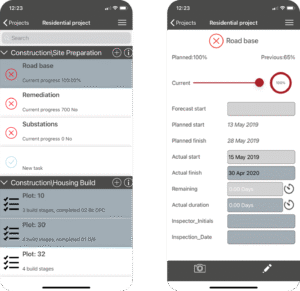
Federated Identity Support

Enhance security and simplify user access with the introduction of Federated Identity Support. This update allows team members to use their existing Microsoft Entra ID, enabling a seamless single sign-on experience and removing the need to manage separate login credentials for the mobile app. this centralises user management and significantly boosts security